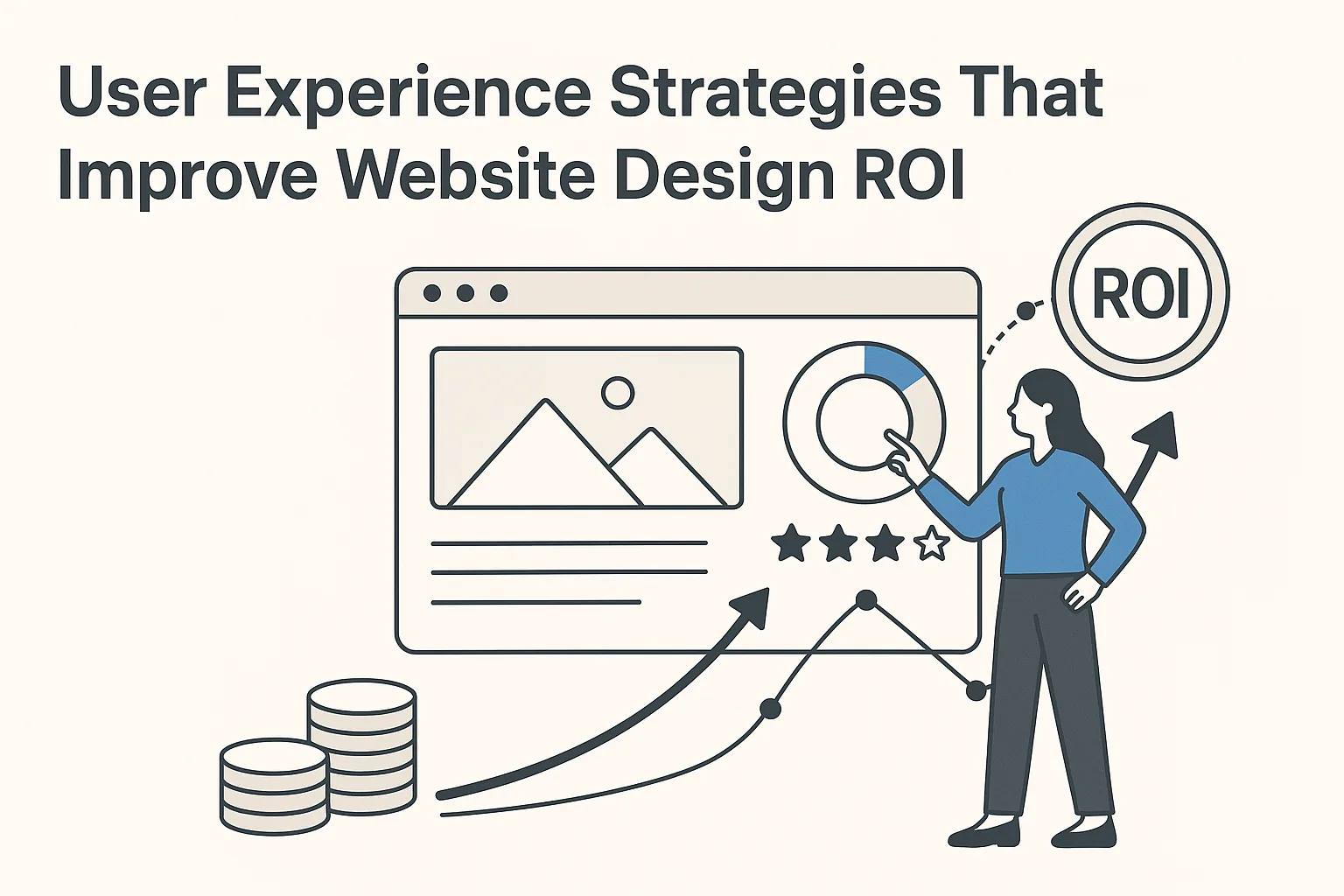
User Experience Strategies That Improve Website Design ROI
A strong website should do more than look polished. It should help visitors understand your business, trust your brand, and take action. That is why user experience is directly tied to website design ROI. When your site is easy to use, fast, clear, and aligned with customer intent, it can generate more leads and sales from the traffic you already have.
For businesses investing in a new site or redesign, the smartest approach is not simply “better design.” It is better design guided by measurable user behavior.
Why user experience Matters to Website Design ROI
Website ROI is the return your business gets from the money spent on design, development, content, branding, and ongoing improvements. A beautiful website that confuses visitors will underperform. A simple, well-structured website that helps people move forward can become a consistent sales asset.
Effective user experience improves ROI by helping users:
- Find information faster
- Understand your services more clearly
- Trust your company sooner
- Complete forms or purchases with less friction
- Return to your website when they need help again
According to Nielsen Norman Group, user experience includes all aspects of a person’s interaction with a company, its services, and its products. In practical website terms, that means design, usability, messaging, accessibility, page speed, navigation, and credibility all work together.
If one part of the experience breaks down, conversions often suffer.
For example, a contractor may have strong photos and testimonials, but if the “Request a Quote” button is buried or the contact form is too long, potential leads may leave. A medical practice may have excellent credentials, but if appointment information is hard to find on mobile, patients may choose a competitor.
The goal is not design for design’s sake. The goal is a website that helps real users take valuable actions.
Start With Business Goals Before Design Decisions
A website redesign should begin with clear business goals, not color palettes. Visual design matters, but design choices should support measurable outcomes.
Before wireframes or mockups, define what success looks like. Common goals include:
- More qualified leads
- More phone calls
- More online bookings
- Higher ecommerce revenue
- Better search visibility
- Lower bounce rates
- Stronger brand trust
- Improved recruiting applications
Once goals are clear, user experience decisions become more strategic. A law firm that wants more consultation requests needs a different page structure than a restaurant that wants more reservations. A B2B company with a long sales cycle needs educational content, trust signals, and easy paths to contact sales.
This is also where professional planning makes a difference. STL Website Development’s custom website development services focus on building sites around business objectives, not just surface-level design preferences.
When every design choice ties back to a goal, ROI becomes easier to measure and improve.
Understand Your Audience Before You Redesign
A site that works for one audience may fail for another. Good user experience starts with knowing who your visitors are, what they need, and what might prevent them from converting.
Ask questions such as:
- Who are your highest-value customers?
- What problem are they trying to solve?
- What questions do they ask before contacting you?
- Are they comparing price, quality, speed, expertise, or trust?
- What device do they usually use?
- What objections might stop them from taking action?
Audience research does not have to be complicated. Review customer emails, sales calls, analytics reports, form submissions, support questions, and competitor websites. Talk to your sales team. Look at what pages visitors spend time on and where they leave.
A website for homeowners should feel different from one built for procurement managers. A site targeting urgent service requests should prioritize phone calls, location details, and fast answers. A site targeting high-ticket consulting clients should provide authority, case studies, and detailed service explanations.
The more accurately your website reflects user intent, the stronger your user experience becomes.
Improve Navigation So Visitors Can Move With Confidence
Navigation is one of the most important ROI factors in website design. If users cannot quickly understand where to go, they leave or delay action.
Strong navigation should be:
- Simple
- Predictable
- Organized by user needs
- Easy to use on mobile
- Focused on the most important pages
Avoid overwhelming users with too many menu items. Most business websites should prioritize core service pages, about information, proof elements, resources, and contact options. If your company offers many services, group them logically under clear labels.
Navigation labels should also be plain. “Solutions” may work for some B2B brands, but “Services” is often clearer. “Get Started” may be better than “Submit Inquiry” if your audience expects a simple next step.
Footer navigation is another opportunity. Many users scroll to the bottom looking for contact information, service links, locations, policies, or social proof. A strong footer can support conversions instead of acting as an afterthought.
Better navigation reduces friction, which helps user experience and improves the chance that visitors reach revenue-generating pages.
Make Calls to Action Clear and Consistent
Calls to action, or CTAs, guide visitors toward the next step. If CTAs are vague, inconsistent, or hard to find, your website may lose leads even when visitors are interested.
Effective CTAs are specific and action-oriented. Examples include:
- Schedule a Consultation
- Request a Quote
- Book an Appointment
- Call for Emergency Service
- Download the Guide
- Start Your Project
Every key page should have a primary CTA. Secondary CTAs can support users who are not ready to contact you yet, such as “View Our Work,” “Read Client Reviews,” or “Learn About Our Process.”
Placement matters too. CTAs should appear near the top of important pages, after persuasive content sections, and at the end of pages. On mobile, click-to-call buttons and short forms can significantly improve conversion rates.
A consistent CTA strategy creates a smoother user experience because visitors always know what to do next.
Use Content Strategy to Answer Questions and Build Trust
Design gets attention, but content often drives decisions. If your website does not answer the questions your audience cares about, users may return to Google and find a competitor.
Strong website copy should explain:
- What you do
- Who you help
- Why your approach is different
- What the process looks like
- What results customers can expect
- How to take the next step
This is where copywriting and user experience overlap. Clear copy reduces uncertainty. It helps visitors qualify themselves, understand your value, and feel confident enough to contact you.
Service pages should be especially strong. A thin page with a short paragraph and a form may not provide enough information for users or search engines. Better service pages include clear benefits, process details, FAQs, proof points, and conversion paths.
If your current content is vague, outdated, or too internally focused, STL Website Development’s website copywriting services can help turn your message into clear, conversion-focused content.
user experience Improves When Content Matches Intent
Search intent matters. A visitor landing on your site from Google has a specific need. If your page does not match that need quickly, the visit may end.
For example:
- Someone searching “emergency plumber near me” needs fast contact options.
- Someone searching “best accounting firm for small business” needs credibility and service details.
- Someone searching “custom website development cost” needs pricing context, process, and value explanation.
A strong user experience aligns page content with the visitor’s stage of awareness. New visitors may need education. Returning visitors may need proof. Ready-to-buy users need clear next steps.
When content matches intent, users stay longer, engage more deeply, and convert more often.
Prioritize Mobile Performance and Responsive Design
Mobile usability is no longer optional. Many users will experience your brand first on a phone. If the mobile version of your website is difficult to use, your ROI will suffer.
Good mobile user experience includes:
- Fast loading pages
- Readable text without zooming
- Buttons large enough to tap
- Simple mobile navigation
- Short forms
- Click-to-call functionality
- Images optimized for smaller screens
- No intrusive popups blocking content
Google also uses mobile-first indexing, meaning the mobile version of your site is central to how your site is evaluated in search. Page experience and speed can influence both rankings and conversions.
Google’s guidance on Core Web Vitals is a useful framework for understanding important performance metrics such as loading speed, interactivity, and visual stability.
Even small mobile improvements can affect revenue. If a form is easier to complete, more users will complete it. If a service page loads faster, fewer visitors will abandon it. If phone numbers are clickable, more mobile users will call.
Increase Page Speed to Reduce Drop-Off
Slow websites cost money. Users expect pages to load quickly, and delays can increase bounce rates. For lead generation sites, every second matters.
Common causes of slow websites include:
- Oversized images
- Too many plugins
- Poor hosting
- Bloated code
- Unoptimized scripts
- Large video files
- Lack of caching
Speed is both a technical and design issue. Large hero images may look impressive, but if they slow down the page, they can hurt ROI. Animation can add polish, but too much movement can delay loading and distract from the CTA.
A high-performing site balances visual quality with efficiency. Images should be compressed, code should be clean, and unnecessary features should be removed. Ongoing updates also matter because websites can slow down over time as plugins, themes, and content change.
STL Website Development provides ongoing website maintenance to help keep sites secure, updated, and performing properly after launch.
Build Trust With Visual Design, Branding, and Proof
Trust is a major part of user experience. Users make quick judgments based on what they see and read. Outdated visuals, inconsistent branding, poor images, broken layouts, or unclear messaging can make a business look less credible than it really is.
Trust-building elements include:
- Professional visual design
- Consistent brand colors and typography
- High-quality photography
- Clear logo design
- Testimonials and reviews
- Case studies or portfolio examples
- Industry certifications
- Security indicators
- Real contact information
- Team or company details
Brand consistency is especially important. If your logo, colors, and website style do not feel aligned, the experience can feel disconnected. A strong brand identity makes your business easier to recognize and remember.
If your logo feels outdated or does not represent your company well, STL Website Development’s professional logo design services can help create a stronger foundation for your website and broader marketing.
Good design should communicate professionalism before users read a word. Then content, proof, and usability should reinforce that first impression.
Design Forms That Users Actually Complete
Forms are often where conversions happen, but they are also where many users abandon the process. A poor form can ruin an otherwise strong user experience.
To improve form completion rates:
- Ask only for necessary information
- Use clear field labels
- Group related fields together
- Make error messages helpful
- Avoid unnecessary dropdowns
- Use mobile-friendly input types
- Show confirmation after submission
- Explain what happens next
If you need more information, consider a two-step process instead of one long form. For example, ask for basic contact details first, then follow up with more specific questions.
Also consider user motivation. Someone requesting emergency service may only want to enter a name, phone number, and brief issue. Someone requesting a complex proposal may be willing to provide more detail if the value is clear.
The best form is not always the shortest form. It is the form that matches the user’s intent and gives your team enough information to respond effectively.
Improve Accessibility for Better Reach and Usability
Accessibility is often discussed as a compliance issue, but it is also a business and usability issue. Accessible websites are easier for more people to use, including visitors with disabilities, older users, mobile users, and people in challenging environments.
Accessibility improvements may include:
- Sufficient color contrast
- Keyboard-friendly navigation
- Descriptive alt text for images
- Proper heading structure
- Captions for video content
- Clear link text
- Form labels and instructions
- Avoiding text embedded in images
The World Wide Web Consortium provides detailed Web Content Accessibility Guidelines that help organizations create more accessible digital experiences.
Accessibility supports user experience because it removes barriers. It also encourages cleaner structure, clearer content, and better technical discipline. Those improvements can benefit every visitor, not just users relying on assistive technology.
Use Analytics and Testing to Improve Over Time
A website launch is not the finish line. It is the starting point for ongoing optimization. The most profitable websites are monitored, tested, and improved based on data.
Track metrics such as:
- Conversion rate
- Form submissions
- Phone call clicks
- Bounce rate
- Engagement time
- Top landing pages
- Exit pages
- Scroll depth
- Traffic sources
- Search rankings
Analytics can reveal where users struggle. If a service page gets traffic but few conversions, the content, CTA, or offer may need improvement. If users abandon a form, the form may be too long or unclear. If mobile conversion rates lag behind desktop, mobile design may need attention.
Testing can include:
- CTA wording
- Button placement
- Page headlines
- Form length
- Service page layouts
- Trust signals
- Hero section messaging
- Pricing presentation
Small changes can create meaningful ROI gains. A better headline, clearer CTA, or stronger proof section may increase leads without increasing ad spend or traffic.
Align SEO and user experience for Compounding ROI
SEO and user experience should not be treated as separate strategies. Search engines want to send users to pages that are useful, relevant, and easy to navigate. Users want the same thing.
A strong SEO and UX strategy includes:
- Clear page structure
- Helpful content
- Fast load times
- Mobile-friendly design
- Internal linking
- Descriptive headings
- Logical URLs
- Trustworthy information
- Strong local signals where relevant
Internal links also help users discover related services and help search engines understand your site structure. For example, a page about redesign strategy may naturally link to development, maintenance, copywriting, and logo design resources when those services support the user’s next step.
The best long-term ROI often comes from this combination: a technically sound website, useful content, strong branding, and a smooth conversion path.
Common user experience Mistakes That Reduce ROI
Even established businesses make website mistakes that limit returns. Watch for these common issues:
- Designing for internal preferences instead of customer needs
- Using vague headlines that do not explain the value
- Hiding contact information
- Adding too many menu options
- Making mobile users work too hard
- Using slow, oversized media files
- Publishing thin service pages
- Using inconsistent branding
- Asking for too much information too soon
- Ignoring accessibility
- Failing to update the site after launch
Many of these issues are fixable. The key is to evaluate your website from the visitor’s perspective. If users cannot quickly understand who you help, what you offer, why they should trust you, and what to do next, the site is leaving ROI on the table.
FAQ
How does user experience improve website ROI?
User experience improves website ROI by reducing friction and helping more visitors take valuable actions. When a site is fast, clear, mobile-friendly, trustworthy, and easy to navigate, users are more likely to call, submit a form, book an appointment, or make a purchase.
What is the difference between UX and website design?
Website design often refers to the visual layout, colors, imagery, and style of a site. UX is broader. It includes how easy the site is to use, how clearly information is presented, how fast pages load, how well the site works on mobile, and how effectively it guides users toward their goals.
How often should a business improve its website?
A business should review website performance regularly and make improvements as needed. Design trends, customer expectations, search standards, and technology change over time. Monthly maintenance, quarterly performance reviews, and periodic design updates can help protect ROI.
Can better copywriting improve user experience?
Yes. Clear copywriting helps users understand your services, trust your business, and decide what to do next. Confusing or generic content creates hesitation. Strong copy supports both usability and conversions.
Is logo design part of user experience?
Logo design is part of the broader brand experience. A professional logo helps create recognition and trust, especially when it is used consistently across your website, social media, print materials, and advertising. While a logo alone will not create ROI, it supports credibility and brand consistency.
Turn Your Website Into a Higher-ROI Business Asset
Improving website ROI is not about chasing every design trend. It is about building a website that serves your users and supports your business goals. Strong user experience combines strategy, design, content, performance, accessibility, branding, and ongoing optimization.
When visitors can find what they need, understand your value, trust your company, and take action without friction, your website becomes more than an online brochure. It becomes a measurable growth tool.
If your current website is underperforming or you are planning a redesign, STL Website Development can help you create a smarter, more effective digital presence. Contact STL Website Development today to discuss a website strategy built around better usability, stronger conversions, and long-term ROI.